-
-
sample data
|
-
-
-
sample data
|
-
sample publication
|
|
|
You may query the BrainMaps database for neuroanatomical structures,
terms, and keywords. There are two types of searches: 1) searching
across datasets, and 2) searching within a dataset. To
search across datasets, use the basic query box at the top of this
page. You may view all brain areas and brain objects by submitting an empty
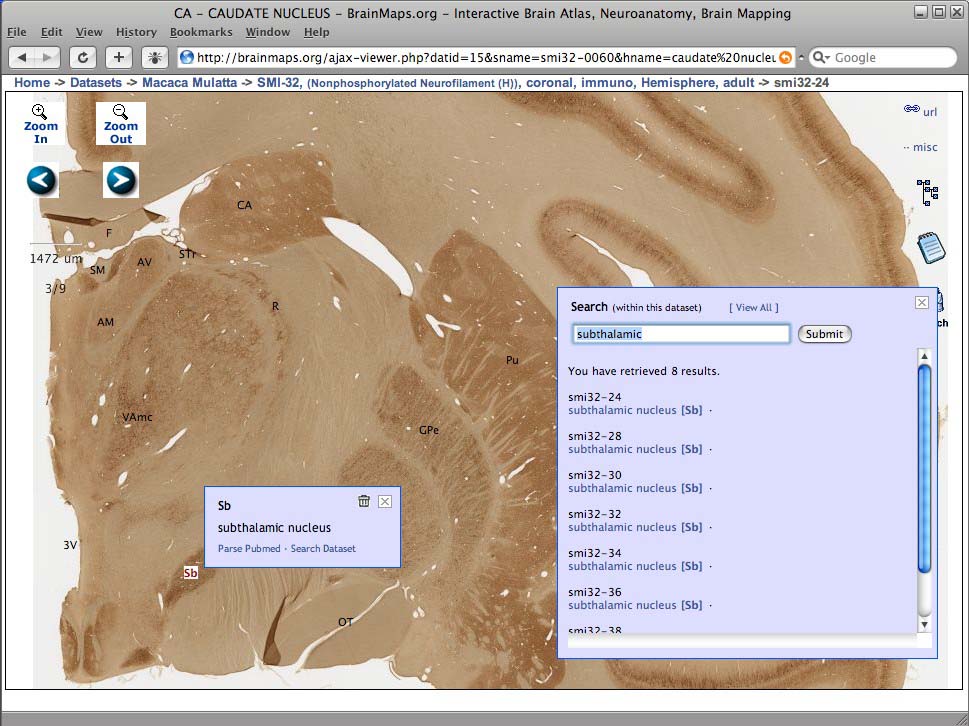
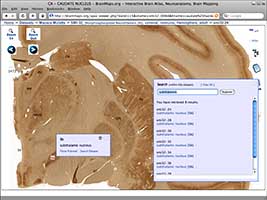
query. To search within a dataset, click on the
search icon on the right side of the image viewer to bring up a
search dialog (as shown in the figure below).
|
|
Your Search Term Will Be Labeled in Red in Brain Images
Brain images selected after running a search will have the search
term labeled in red, enabling quick identification of the spatial
location of the search object of interest. While viewing brain
images, you may also search within a dataset using the Search button
on the right. You may also view all labels within a dataset by
selecting "View All" from the Search menu. This is shown in the
figure to the right, with the search term, the label "Sb", shown in
red.
|
|
|
|